
SSL order or renewal fails: State or Province value is invalid for the Country
Symptoms
When placing or renewing an SSL certificate order, the order fails at the validation stage with the following error:
[province: Invalid value] - State or Province value is invalid for the Country

Cause
Sectigo now strictly enforces ISO 3166-2 compliance for the State/Province field. The stateOrProvinceName value in your CSR must match the official ISO 3166-2 subdivision name for the selected country exactly, including diacritical marks and special characters. Any other spelling is rejected.
| Entered value | ISO 3166-2 value |
|---|---|
| Attica | Attikí |
This applies to all new certificate orders and to renewals. If an order fails at the organization validation step, the State/Province value in the CSR is the most likely cause.
Solution
An order that has already failed cannot be corrected. Cancel the certificate and place a new order with the State/Province in the correct ISO 3166-2 format. The cancelled certificate is credited back to your Openprovider account balance.
To find the correct value:
1. Open the ISO Online Browsing Platform
Go to https://www.iso.org/obp/ui/#home
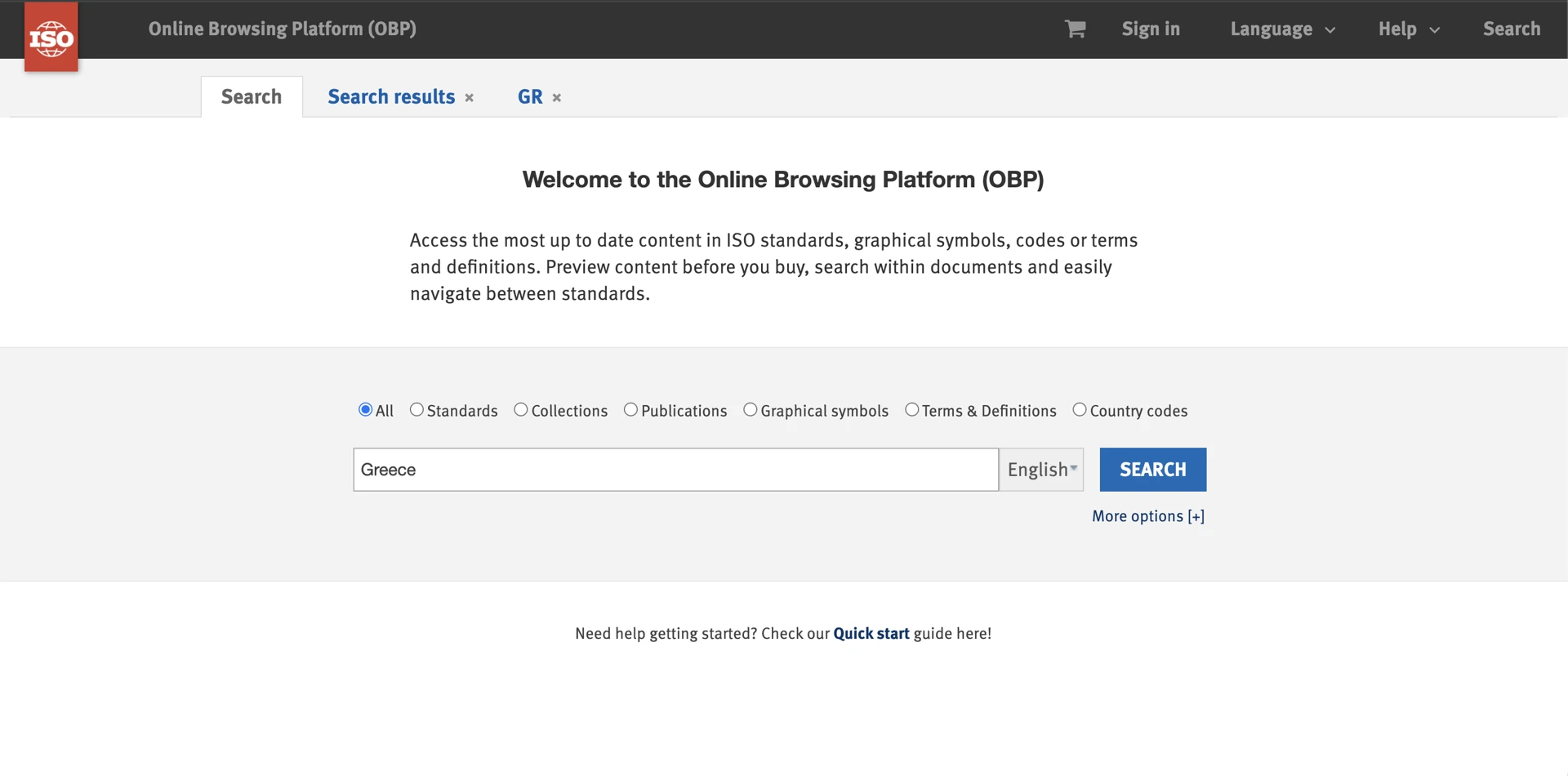
2. Search for the country
Enter the country name in the search bar (for example, Greece) and select the matching result.
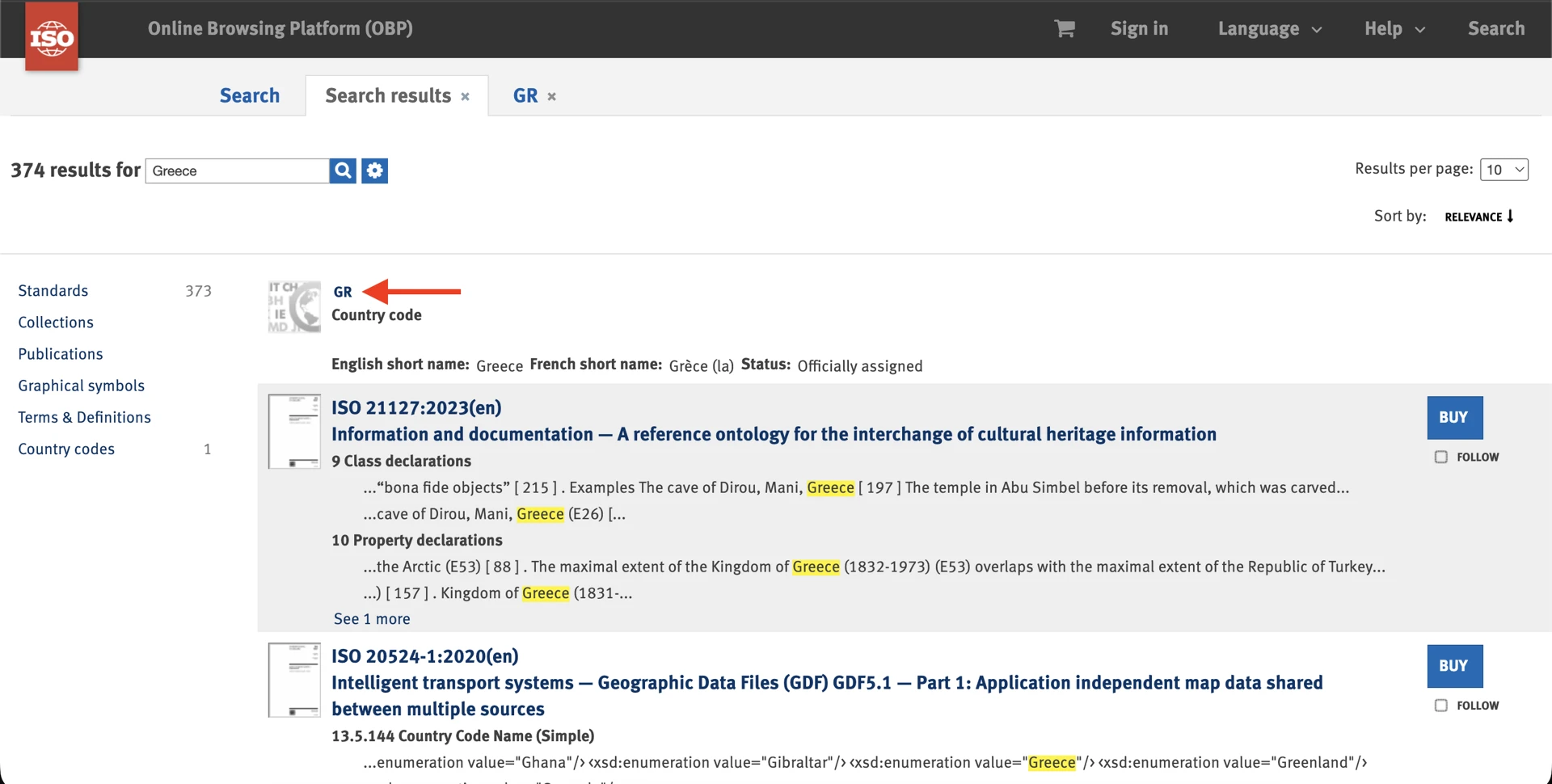
3. Find the subdivision
Scroll down to the subdivision table and locate your State/Province. For Greece, the correct entry is Attikí, not Attica.
4. Copy the value exactly
Copy and paste the subdivision name directly from the ISO website. Retyping it risks losing diacritics or special characters, which causes the same error again.
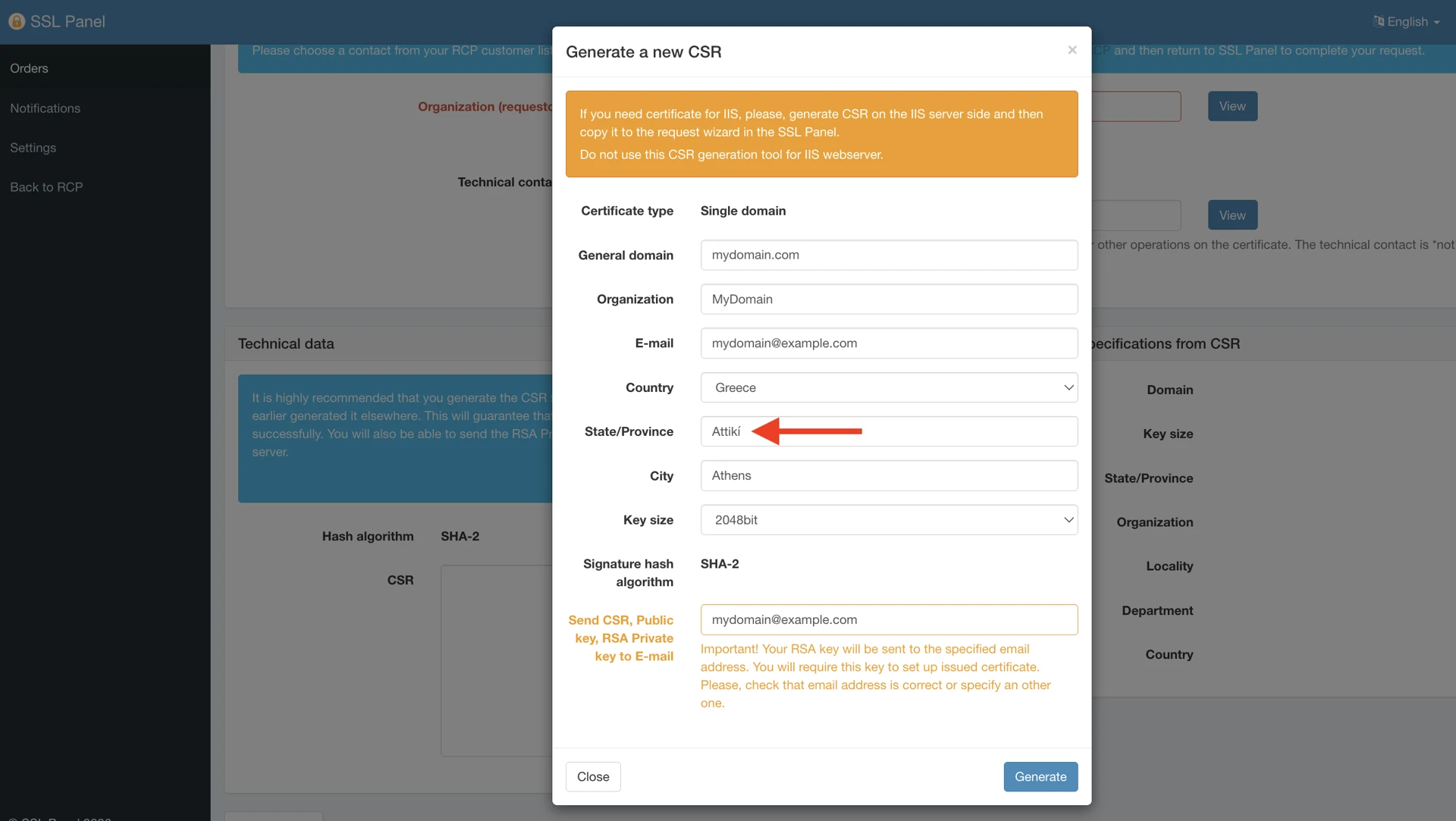
5. Generate a new CSR
Create a new CSR using that exact value in the State/Province field, then place the order.
Good to know
We are adding validation in the SSL panel so that the State/Province value is checked before the order is submitted. Until this is live, please follow the steps above.