
Login to Spamexperts panel directly
Question
Is it possible to log in to Spamexperts control panel directly?
Answer
When creating a spam filter with Openprovider the credentials for direct access to the Spamexperts control panel can be found in the Openprovider panel.
The following links can be used to log in directly to the Spamexperts panel.
Save the link in the browser so that it can be found without accessing first the Openprovider panel. Be sure to enter the link as HTTPS, otherwise, the security may give an error about cookies not being enabled.
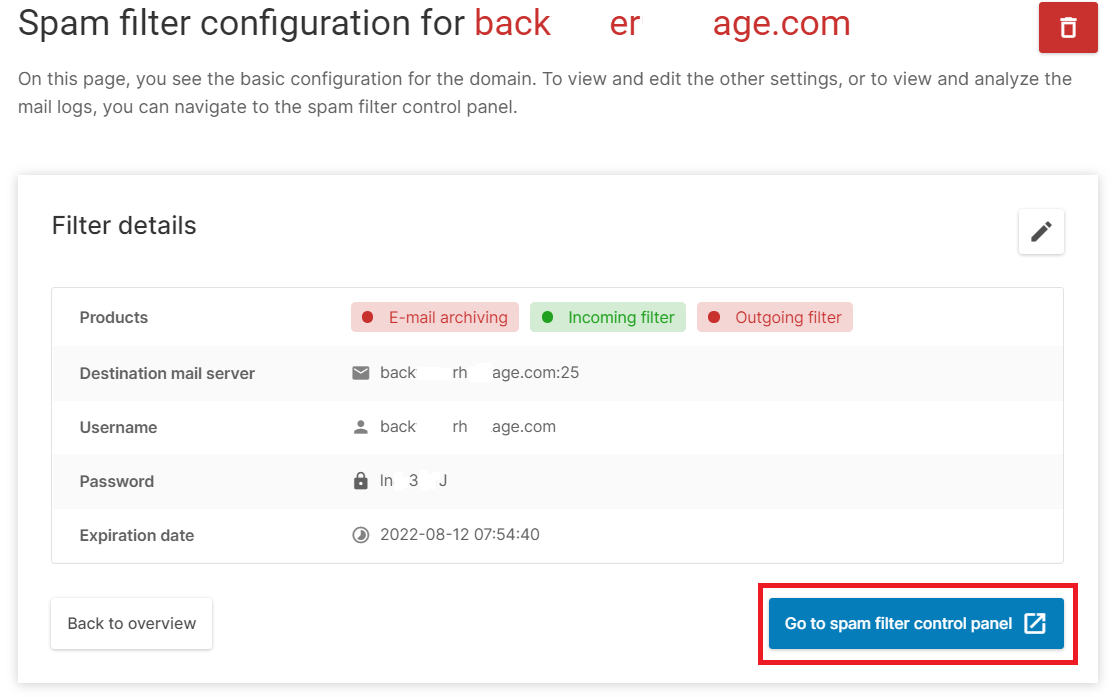
Note: One can create login credentials also on user level, allowing the end customer to log in to the Spamexperts control panel directly.
To create login credentials for a mailbox user, first one need to log into Spamsxperts control panel and scroll down to the bottom of the menu. Search for Users & permissions > Manage email users on menu item and click on it, (see example below). Then one will be able to add email user for a domain.
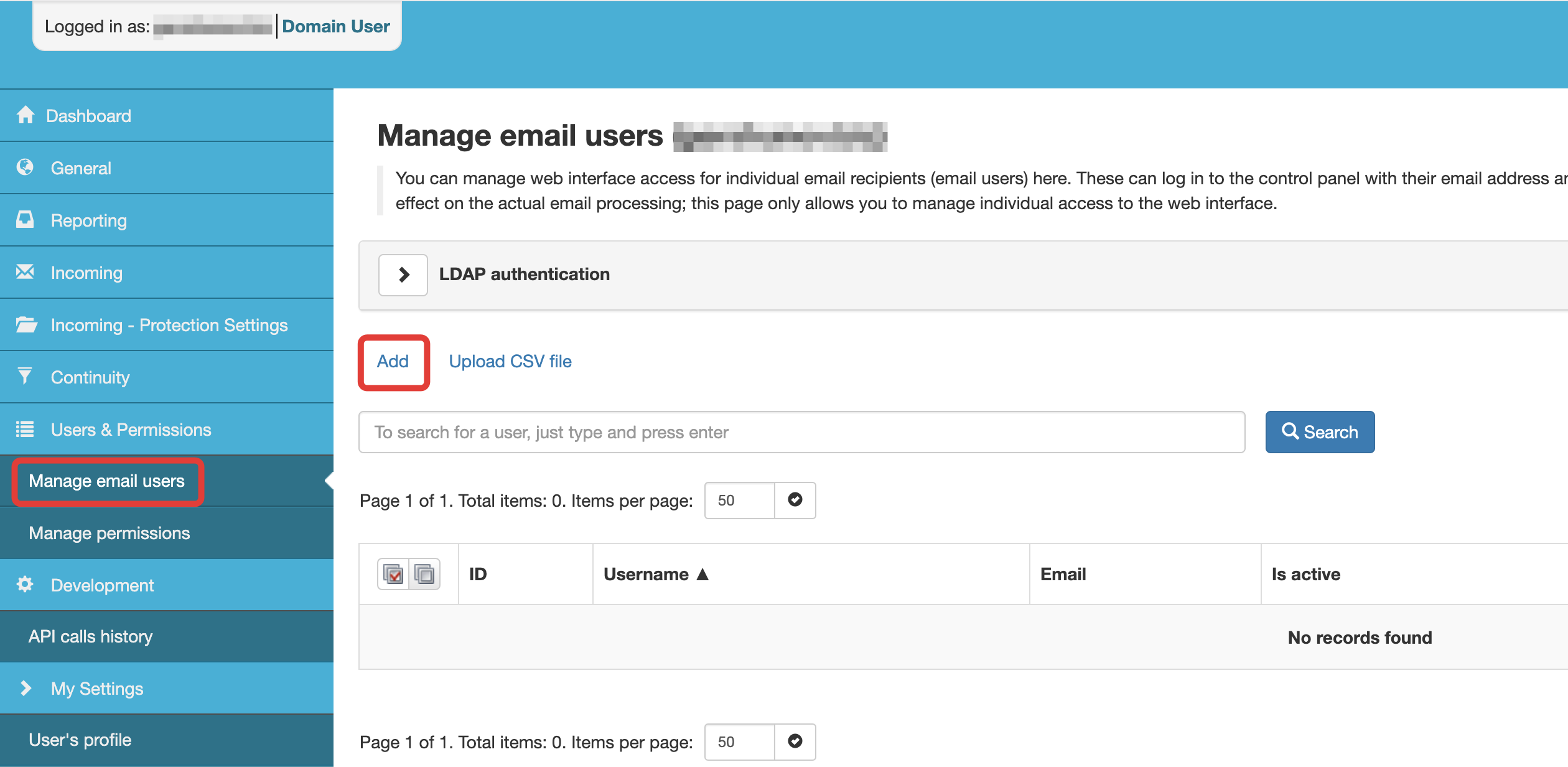
Such users will have limited access to Spamexperts control panel allowing them to view their own logs, manage emails moved to quarantine and change some minor settings.
NOTE: Due to security setting from Spamexperts, always use HTTPS to log in. If you try to login to Spamexperts directly via HTTP, you will get a message that the browser doesn't support cookies.
Also, users only have domain level access and it comes with certain restrictions compared to admin level access - which is managed by Openprovider. Some options like editing Email Scout Report (ESR) templates, enabling domain-level reporting etc... won't be available for users.