
🇪🇸 Cómo configurar el filtro de spam de salida
1. In the control panel, click on "Spam Filters / Add New Filter".
2. On the next screen, add the domain, select "Outbound Filter," and add the mail server. Click Save.
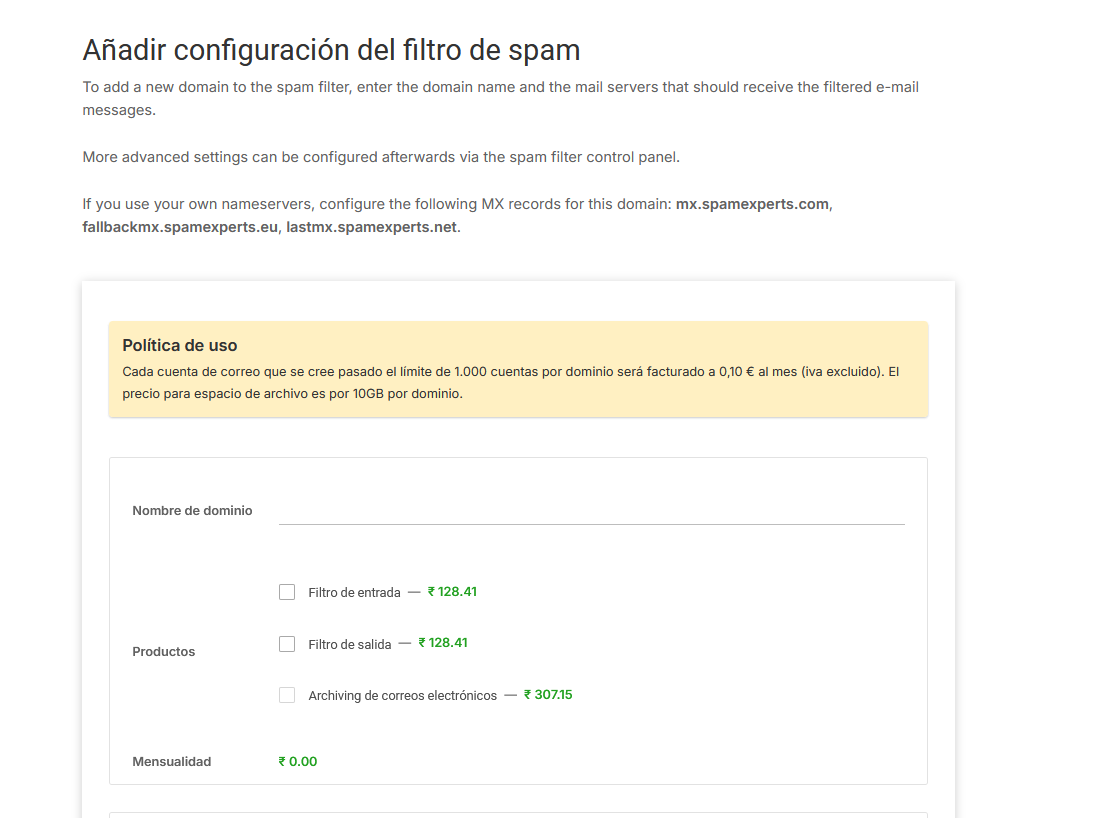
3. Configure your SMTP server credentials by accessing the SpamExpert filter. You can do this by clicking the blue button in the control panel.

4) Dentro del panel, en Outgoing, ves a Manage users.
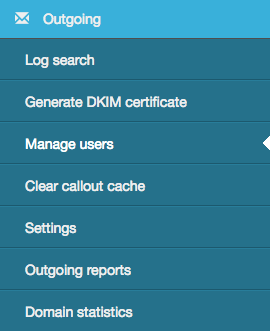
Here you need to configure 1 of the 3 forms of authentication.

We recommend using the Authenticating Domain, where the username will be the domain and where you can set the password.
5) Now you will need to configure the mail server's SMTP to send emails through the filter.
The outgoing server must be configured for 683.smtp.antispamcloud.com for port 587 .
For authentication, you must set the username and password.
6) Once this is done, please make sure to update your spf to include spamexperts.
For this, add the following spf:
"include:spf.antispamcloud.com -all"
or add :683.submission.antispamcloud.com to your existing spf record.