# How to connect domain hosted in Openprovider with Shopify ?
#### **This article describes the process of connecting the domain hosted in Openprovider with Shopify!**

If you are hosting a domain in Openprovider, there are just a few steps to follow that will let you connect your domain with Shopify.
First step would be to change DNS records for your domain. To do so:
1. Log in to the Reseller Control Panel and navigate to Domains Overview
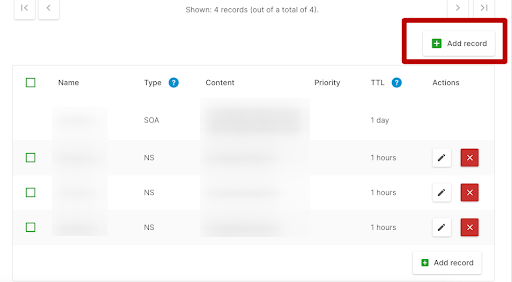
2. Select the domain you want to connect with Shopify:
3. Navigate to the section with the DNS settings and change the following records:
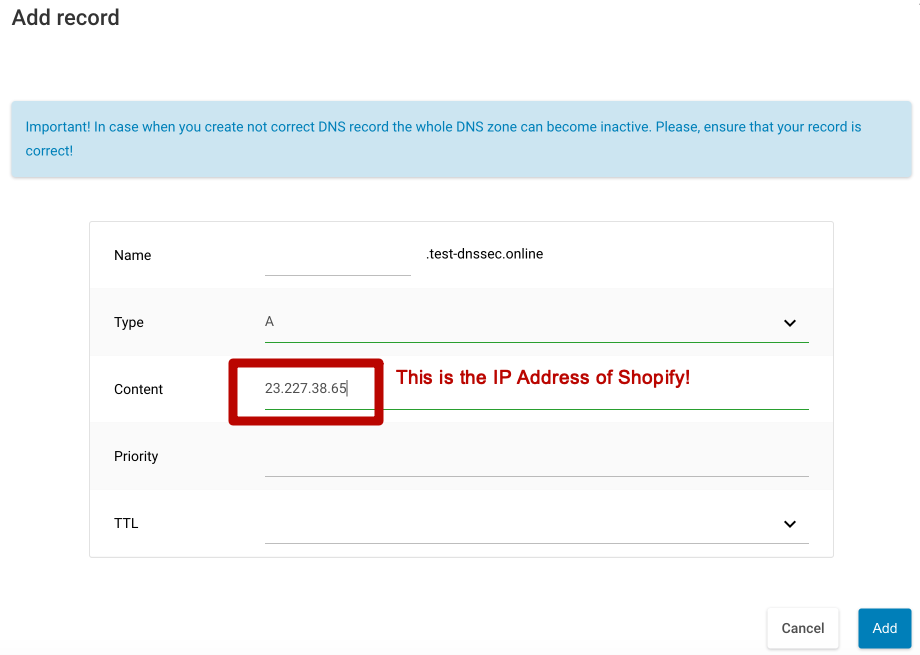
a. Point the A record to the Shopify IP address **23.227.38.65**.
b. You can keep the Host Name empty.
c. Delete any other A records on the domain if there are any present.
4. Point the CNAME record with the name www to ***shops.myshopify.com***.
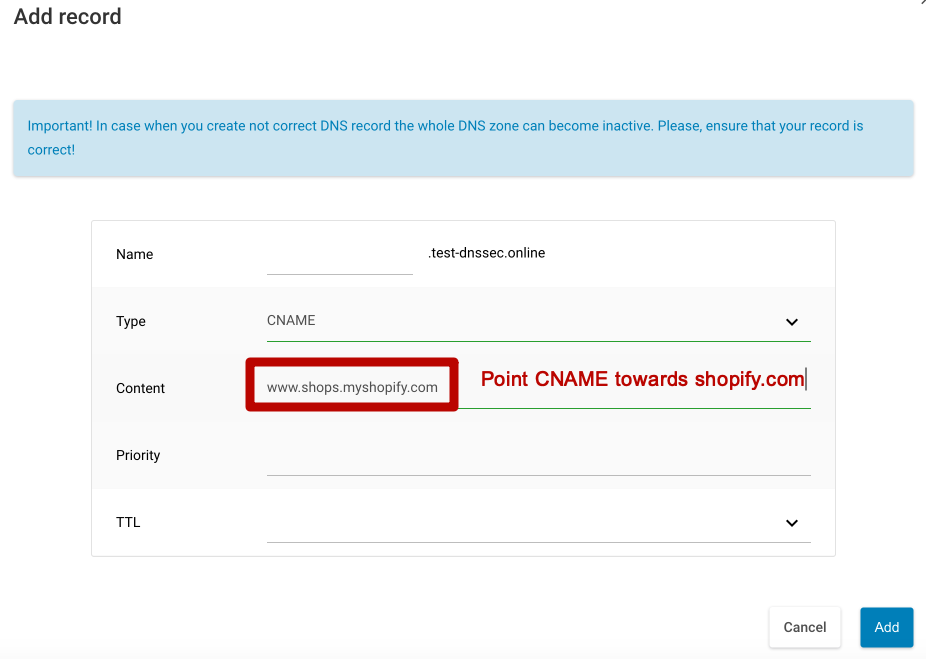
**NOTE**: You don't need to change the TTL number in your DNS settings. Use the default value.
Second step is to actually connect the domain to Shopify. To do that please:
1. From your Shopify admin, go to Settings > [Domains](https://www.shopify.com/admin/settings/domains).
2. Click Connect existing domain.
3. Enter your domain, such as *mydomain.com*, and then click Next.
4. To confirm that your domain is connected to your Shopify store, click Verify connection.
**NOTE**: It might take up to 48 hours for your domain to be verified.
After it's verified, your domain is listed in the THIRD-PARTY DOMAINS section of the Domains page with the status **Connected**.