# Upgrading and Downgrading Plesk Licenses
## Question
How do I upgrade or downgrade a Plesk License?
## Answer
Plesk Licenses can be upgraded from our [RCP](https://support.openprovider.eu/).
If you have a VPS Plesk Edition it can be upgraded to the respective VPS Plesk Edition.
If you have a Dedicated Plesk Edition it can be upgraded to the respective Dedicated Plesk Edition.
Not only the license itself, but the extension can also be modified on that page
**Note:** Upgradation between VPS, Dedicated editions and Cloud Linux editions (and vice versa) is **not possible.**
**How to Upgrade a Plesk License ?**
1\. Login into [RCP](https://support.openprovider.eu/).
2\. Go to **Plesk** Section.
3\. Enter the License Key which you wish to upgrade.
4\. Click the **Modify** option.
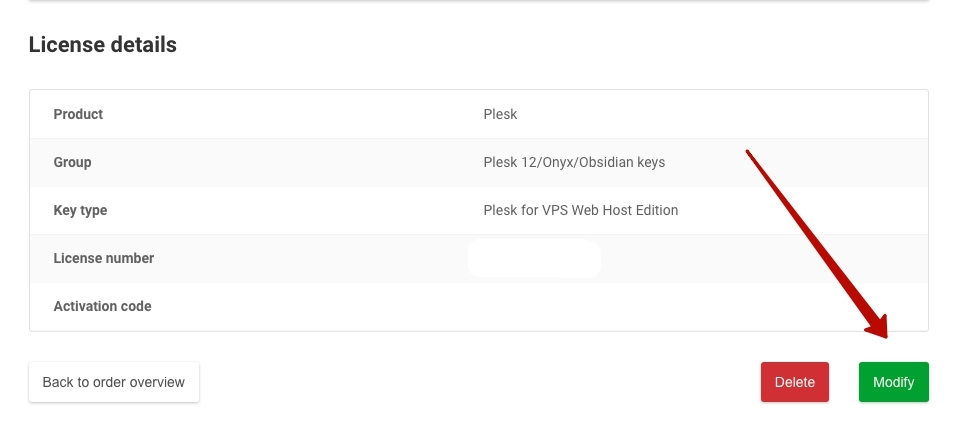
5\. Select the category and time period to which you want to upgrade your license.
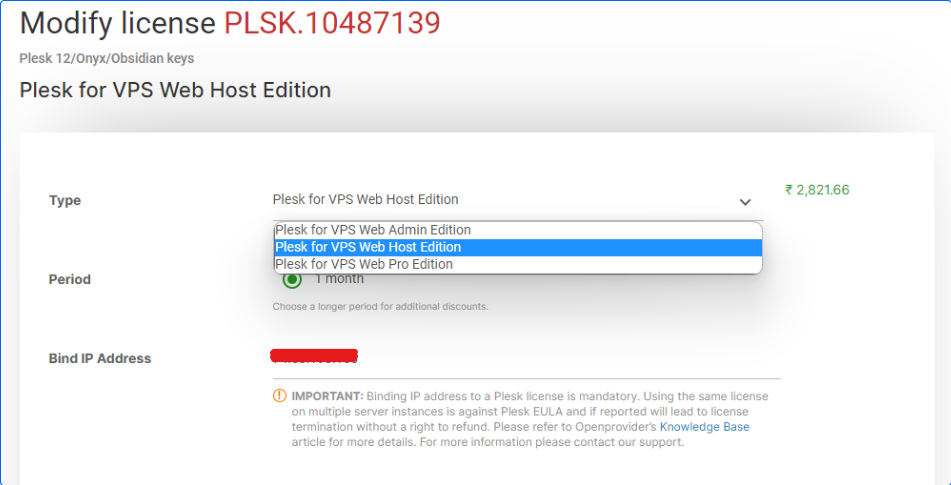
6\. Finalise your order and make payment.