# Error "Reseller cannot add duplicate domain" explained
## Scenario :
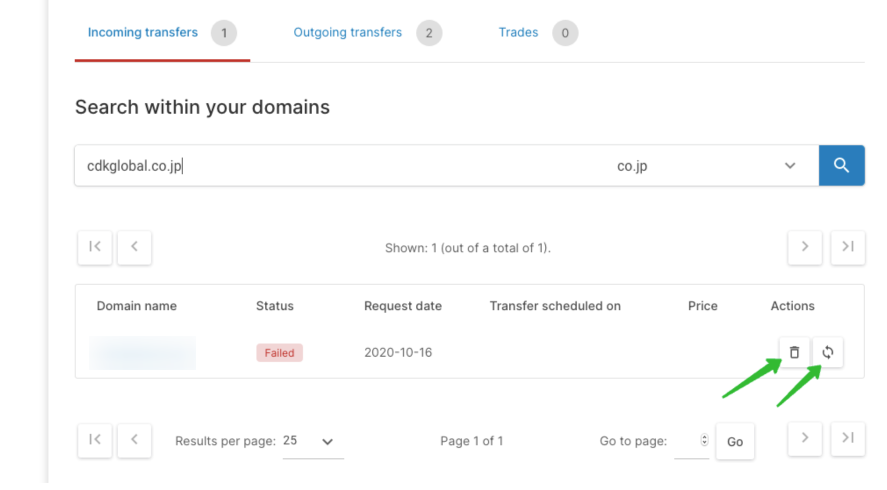
In case you have a failed request, you can not simply start a new request for the same domain. Otherwise that would leave you with 2 similar domains with 2 different statuses - very confusing!
You need to remove the first attempt first or reuse that attempt again.
Both the situations are well explained in the picture below :
## Solution :
There are 2 options what you can do is :
1. You can remove the previous attempt. This will allow you to make a new attempt for this domain.
2. You can re-use the previous attempt in case all the details are still the same and re-request your transfer directly.
Both options can be found in the section **Transfer > Queue for transfers or trades**.
**Direct link:**
[https://cp.openprovider.eu/web/action/index#/domain/queue/transfer/incoming](https://cp.openprovider.eu/web/action/index#/domain/queue/transfer/incoming)