# .be - Internal transfer
## Question
What procedure to follow with .be transfers which are marked as "Internal transfer"?
## Answer
In the case of an internal transfer, a notification is shown during the transfer process stating "Internal Transfer". This means that the domain is already registered with Openprovider but with another reseller and requires a different approach.
When doing an internal transfer our system is directly getting all the current data of handles and DNS.
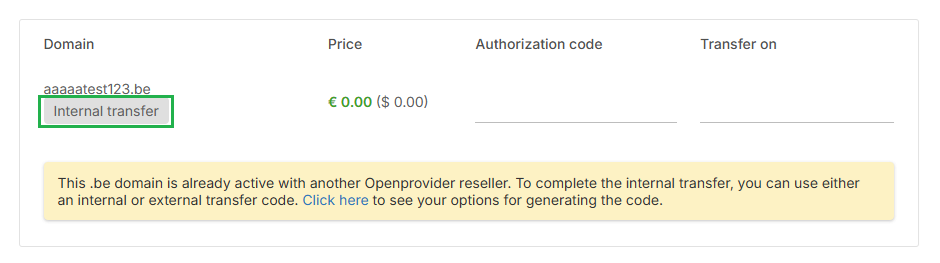To process an internal .be transfer, please follow the steps below:
A successful internal transfer requires:
- Either [Internal authorization code](https://cp.openprovider.eu/tools/auth-code-mgmt.php) or the external authorization code can be used.
- trade (owner-change) is **not allowed** during an internal transfer
A so-called ***internal** authorization code* can be requested by the current Openprovider reseller through the [Authorization Code Management](https://cp.openprovider.eu/tools/auth-code-mgmt.php) page in his control panel, selecting the option "*internal authorization code*".
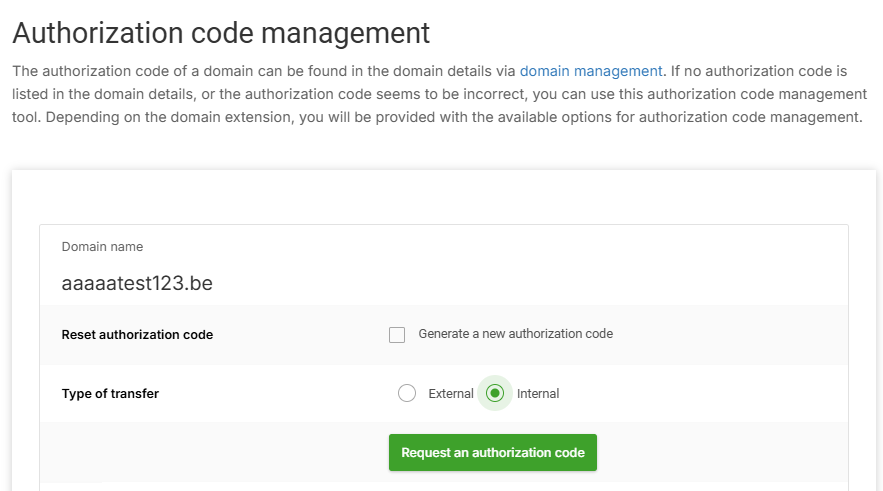In case you don't have the internal auth-code or if the current reseller is not willing to provide it, you can use the external auth code obtained from the registry (via email, sent to the registrant).
**Be aware!** A trade (owner change) is not allowed during an internal transfer. If the owner needs to change, a trade can be processed after the intern transfer. Make sure you use handles that match the current registrant.
If non-matching data is used during an internal transfer, future updates on the domain may fail.
The domain holder can provide you with the correct current data.