# How to change nameservers of a domain
## Question
How to change nameservers of a domain in ones portfolio?
## Answer
When a domain is registered or a transfer is requested, it is required to select the nameservers that will be connected to the domain.
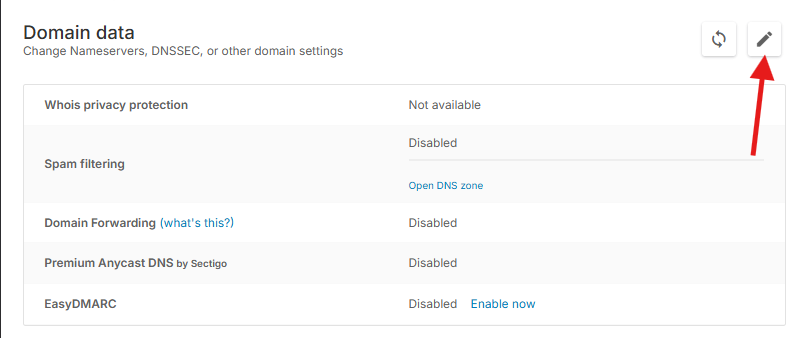
In order to change nameservers of a particular domain one should navigate to that domain's Details page from [Control Panel Dashboard](https://cp.openprovider.eu/dashboard) >> **Domains Overview >** [**Domains Overview**](https://cp.openprovider.eu/web/action/index#/domain/overview) **> Search the domain and click on the name** and click on **Edit domain data** button (pencil icon):
It is possible to use **external nameservers** (nameservers from your hosting provider, DNS provider, or your own custom nameservers like - ns1.mydomain.tld) but also it is possible to use **Openprovider nameservers **if you don't have nameservers or if you would like to manage DNS of a domain from your Openprovider account (via control panel or API).
**External Nameservers**
You can use your own nameservers either by clicking on "**No nameserver group**" and writing them in the fields or selecting the nameserver group you have created under [Nameserver group management](https://cp.openprovider.eu/nameserver/nsgroup-overview.php) (to create a new Nameserver group for your own/custom nameservers, click [here](https://cp.openprovider.eu/nameserver/nsgroup-new.php)). Our system will retrieve automatically the IPs of every nameserver.
The zone for the domain needs to be configured on the nameservers you enter here.
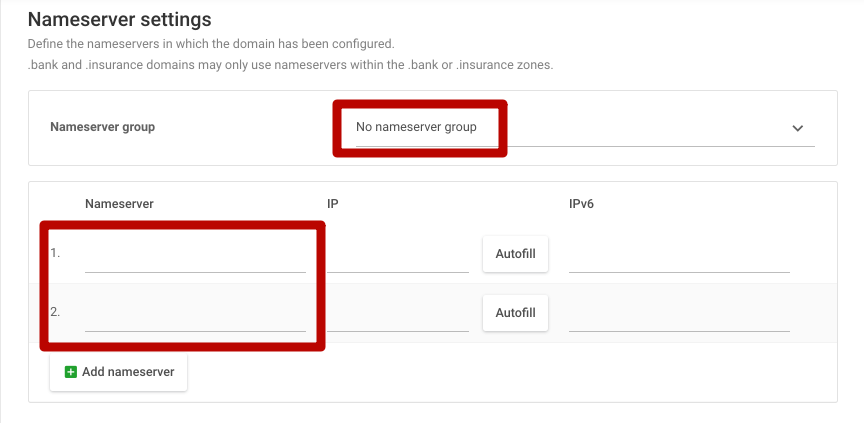
**Note:** When using external nameservers, please ensure the DNS zone for the domain is configured at your hosting platform (hosting server/hosting control panel) or DNS provider. If you don't know how to do it, please seek help from your hosting provider, DNS provider, or your IT administrator to create a DNS zone.
**Openprovider Nameservers**
You can also use the Openprovider Nameservers by clicking on "Nameservers of Openprovider".
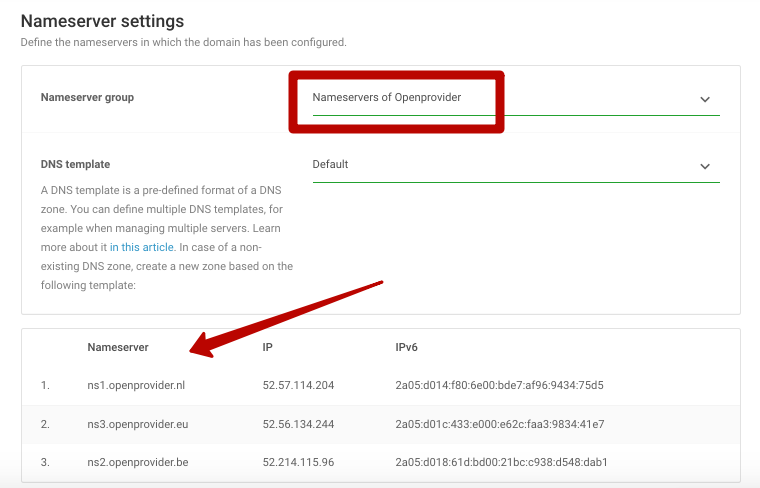
If you use the Openprovider Nameservers you will need to configure the DNS zone of the domain by clicking on "***DNS Management > DNS zones overview > Add DNS zone***" or clicking [here](https://cp.openprovider.eu/dns/new1.php).
You will be able to add the records you want and configure the DNS zone of your domain.
An alternative is creating a new zone based on a predefined template.
See [this article](https://openprovider.help/books/dns/page/how-to-use-dns-templates) for more explanation.
[Here](https://openprovider.help/books/dns/page/dns-records) you have information about the different DNS records you can use.
**Nameserver group**
When selection this option, you will see all nameserver groups which you can predefined in your control panel via "***DNS Management > Manage nameserver groups***" or clicking [here](https://cp.openprovider.eu/nameserver/nsgroup-overview.php).
This will prevent typos when using external nameservers and simplifies domain management greatly. A change in your nameserver group will be processed for all your domains that are using this group, without having to update each single domain.
You cannot delete a nameserver group while it is still in use by a domain. No domains should be attached to the NS group during deletion.